
Pixel-Perfect Graphics Comparison
Stop errors before they cost you. Our graphics comparison engine catches even the tiniest inconsistencies—instantly. From packaging to digital assets, inspect it all with confidence, speed, and surgical precision.
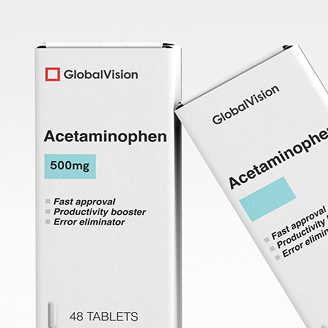
“GlobalVision has been the best tool we have purchased in the last 15 years […] The system inspects [...] element for element. The use of the system has improved overall quality on the production floor and reduced complaints and returns from our customers.”


Eliminate Errors Fast with Smarter Artwork Comparison
Our artwork comparison software doesn’t just spot issues—it eliminates doubt. Run automated checks to zero in on differences, and move from design to approval faster than ever. Trust it to work. Every time.
A Graphics Compare Tool Trusted Across Industries
From print & packaging, to pharma and CPG, quality teams depend on our all-in-one graphics comparison tool to prevent errors across packaging and file formats. Compare prepress files, validate label layouts, and verify design with precision.

Layer & Separation Control
Inspect exactly what matters—turn layers and separations on or off with total precision.

Overprint Checkbox
Toggle overprint preview to catch hidden print errors before they hit the press.

Cropping Tool
Zero in on key areas by cropping your inspection zone to what counts most.

Lasso Tool
Select with surgical accuracy—lasso only the elements you want to inspect.

Profile Sensitivity
Fine-tune what gets flagged by customizing how sensitive your inspection is.

See Graphics Comparison Live
FAQs
How does graphics inspection work?
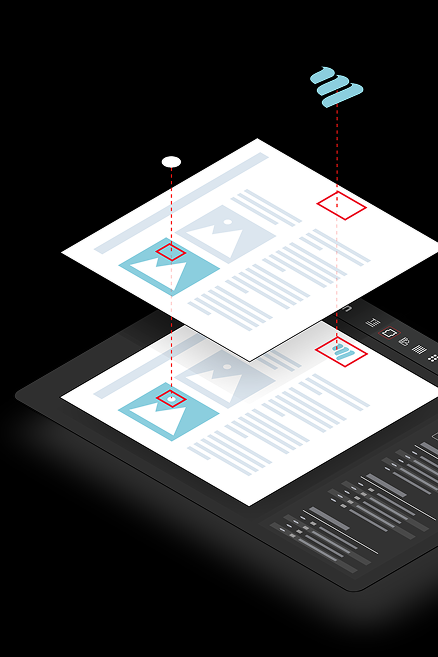
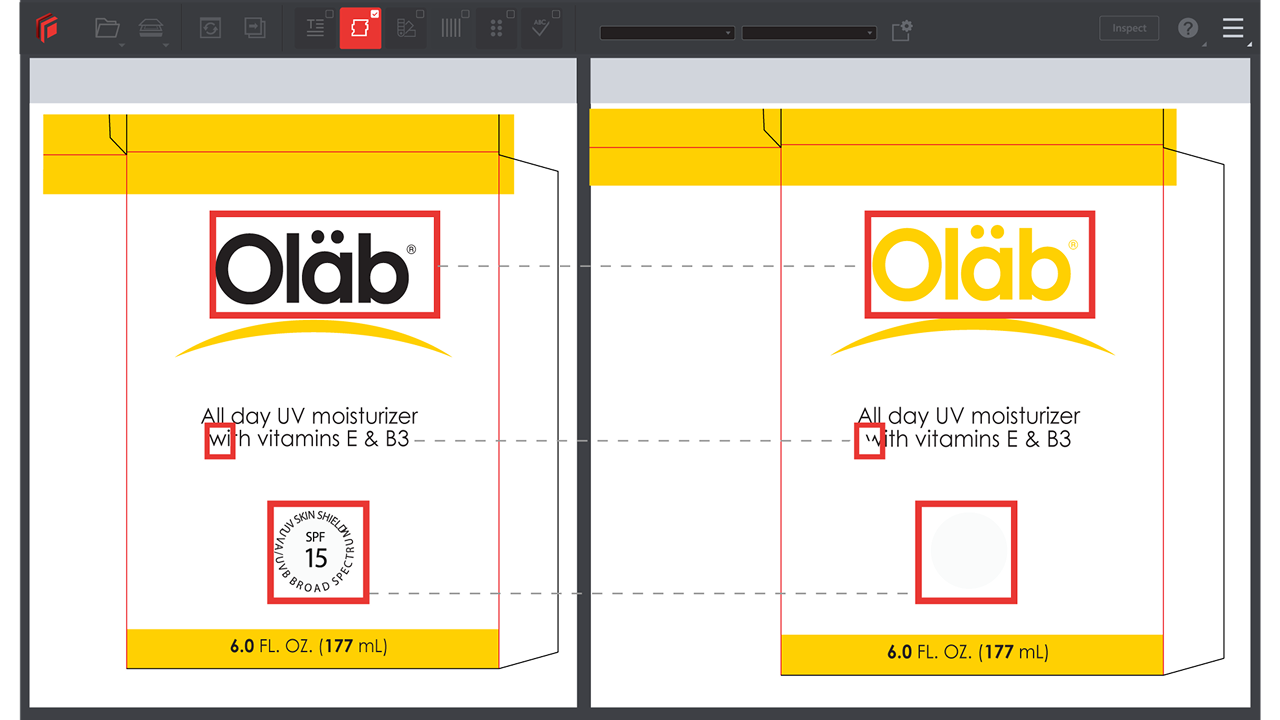
The graphics inspection feature works by leveraging our proprietary AI Inspection Engine, and overlaying two documents digitally within the software. The documents are inspected with pixel-to-pixel precision, highlighting each and every difference to the user, no matter how subtle.
What makes GlobalVision's graphic inspector different?
Our graphic inspector isn’t just smart—it’s relentless. It combs through every visual element, flags issues you didn’t even know existed, and integrates seamlessly into your review workflow.
Can I use file overlay to compare digital files against printed proofs?
Yes. File overlay lets you align and compare a high-res scan of a printed proof against the original digital file using our GVD software. This makes it easy to spot shifts, omissions, or plate-related issues before full production—especially useful in press checks or vendor QC.
Can I use this tool for PDF compare across design versions?
Yes, and you should. Whether it’s a regulatory proof, marketing mockup, or final print file—our PDF compare mode ensures nothing gets missed from one version to the next.
Does this support artwork verification and inspection?
Absolutely. Built-in artwork verification and artwork inspection features help you stay compliant, avoid delays, and move forward with total confidence.
Where does visual comparison add the most value in a multi-step packaging workflow?
Visual comparison is most valuable during file revisions and pre-approval stages, where subtle changes can slip through unnoticed. It ensures that updates from design, regulatory, or localization teams haven’t introduced errors—allowing stakeholders to verify accuracy quickly before moving to prepress or production. This reduces rework, shortens approval cycles, and keeps packaging timelines on track.
Is this good for quick graphics compare tasks?
More than good—it’s made for it. Need to run a quick graphics compare? Drag, drop, and inspect in seconds. No bloat. No fluff. Just results.
How does graphics inspection software help with brand compliance and integrity?
Graphics inspection helps with brand compliance and integrity by flagging differences on packaging proofs that could be detrimental to a brand. Examples include: logo defects, missing logos, wrong colors, misplaced graphics, and more.
How do sensitivity profiles affect what gets flagged during pixel overlay?
Sensitivity profiles let you control how strict the system is during pixel overlay inspections. You can adjust thresholds to ignore negligible shifts—like anti-aliasing or registration tolerance—so your team only reviews meaningful differences and avoids noise in high-volume workflows.
Can I isolate certain design elements using layer and separation controls before doing an artwork overlay?
Yes. Layer and separation controls let you toggle specific inks, dielines, or graphic elements on and off before running an artwork overlay. This helps you focus on the exact parts you need to inspect—like verifying only text changes or checking barcode positioning without visual clutter.
How does an artwork comparison tool help prepress teams accelerate their operations?
An artwork comparison tool speeds up prepress by instantly flagging visual differences, cutting manual checks, and streamlining approvals—so teams can pre-flight with confidence and get plate-ready faster.
Why is artwork inspection critical in regulated industries like pharma and CPG?
Artwork inspection ensures every element—text, graphics, barcodes, and regulatory symbols—is exactly where it should be before going to print. For pharma and CPG brands, a missed error can lead to costly recalls, compliance issues, or shelf delays. Automated artwork inspection catches these issues early, helping teams deliver accurate, compliant packaging faster.