
GlobalVision is Esko’s Official Quality Layer
By embedding GlobalVision’s quality automation into your Esko workflows, you can reduce errors at every stage of packaging development and production within one integrated ecosystem.
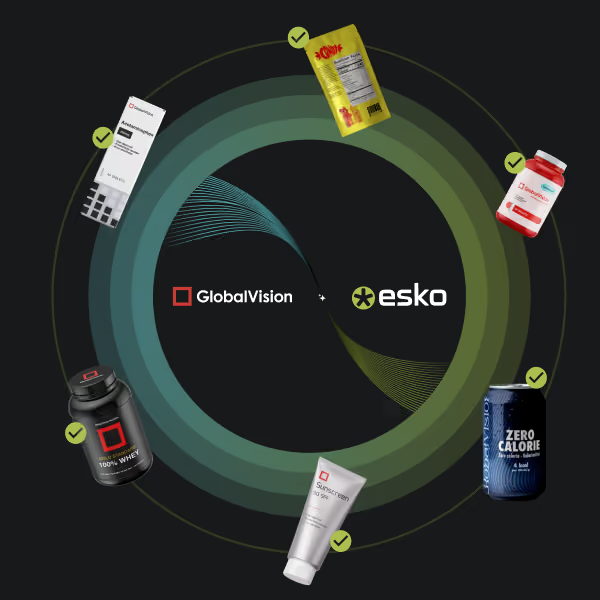






Automate Proofreading & Quality Control, Directly Within Esko
Say goodbye to disconnected systems and disjointed quality processes. See how packaging teams are leveraging GlobalVision’s automation directly within Esko’s ecosystem.

Uncompromising Accuracy
Reduce critical packaging errors without drowning your team in false alarms. Automatically catch text, graphic, braille, and barcode errors while filtering out noise so you stay focused on real issues.

End-to-End Security
Protect your intellectual property by keeping files in a single, secure environment. Eliminate data leak risks and version control mishaps by running automated inspections without exporting files.

Optimized Efficiency
Accelerate project turnaround times. Slash review cycles from hours to minutes with automated inspection that guarantees the right asset version is checked at the exact moment it is required.
Leverage Automated QC Across Esko’s Packaging Management Suite

Verify is The Quality Checkpoint of WebCenter Enterprise
Trigger automated inspections exactly when you need them directly inside WebCenter Enterprise. Your data stays under lock and key within the Esko ecosystem, while Verify instantly flags any text, graphic, barcode, or braille errors. If the file is clean, it keeps moving—keeping your workflow fast, secure, and stress-free.

Verify’s Quality Checks Embedded Directly Within Automation Engine
Build quality assurance directly into your Esko Automation Engine workflows. Ensure every file undergoes inspection as an unskippable milestone. No manual intervention and no export delays—just flawless production paths that automatically catch text, graphic, barcode, and braille errors before they ever hit the press.
“Companies are facing incredible demands to meet regulatory and brand consistency standards as they introduce new products to market [...]. Embedding GlobalVision's core technology into Esko's workflow solutions will help our customers get products to market faster and avoid costly errors.”


FAQs
What does it mean for GlobalVision to be Esko’s "Quality Layer"?
GlobalVision inspection technology functions are integrated within the Esko ecosystem. Instead of using separate platforms for quality control, you can trigger automated inspections directly within your existing Esko workflows, allowing for file verification without leaving your primary working environment.
How does this integration affect data security?
All files remain within the secure Esko ecosystem throughout the inspection process. Because the inspection happens natively, there is no need to export or transfer files to third-party software, which limits the risk of data leaks, file corruption, or version control issues.
What types of errors can the automated inspection detect?
The inspection engine is capable of automatically identifying text, graphic, barcode, and braille discrepancies. It verifies these elements against established standards at various points in the production cycle to identify potential errors.
How does this integration improve project turnaround times?
By replacing manual proofreading with automated inspection, the process reduces the time required for quality review. Setting inspection as an automated milestone ensures that files are verified consistently, which can decrease review cycles from hours to minutes.
Do I need to restructure my current Esko workflows to use this?
No major restructuring is required. The integration is designed to function within your existing setup for WebCenter Enterprise and Automation Engine. It adds automated inspection as a specific step in the production path, which fits into your current operations.
How does the system handle "false positives" or noise?
The integration includes filtering capabilities designed to isolate critical discrepancies. This helps reduce the volume of non-essential alerts, allowing users to focus on verifying potential issues that require attention rather than reviewing non-critical data.