

Build Quality Directly Into WebCenter Pack
Verify Compare is the automated Quality Layer within WebCenter Pack. Automatically catch content, artwork, and barcode errors between prepress and approval - accelerating review cycles and giving you confidence that files move error-free into production.
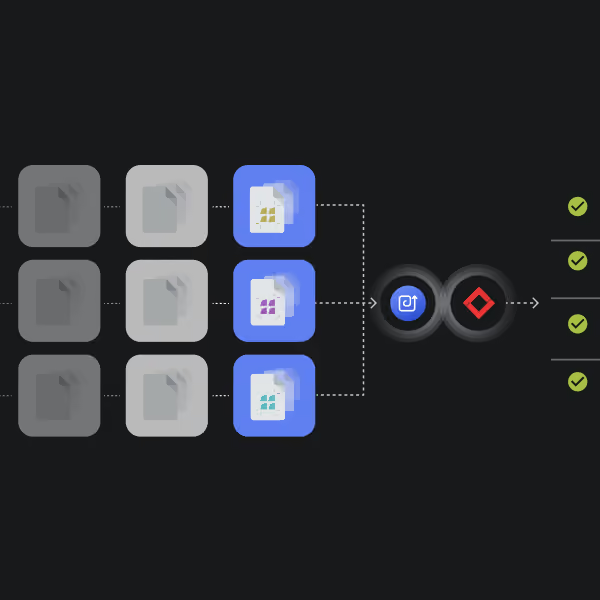








Your Built-in Quality Checkpoint

Make automated quality inspection a consistent part of your WebCenter Pack workflow. Verify Compare checks files after prepress and before approval, helping catch critical discrepancies at the right point in the process.

Uncompromising Accuracy
Catch critical errors before they go to customers for approval. Verify Compare automatically checks text, graphics, spelling, barcodes, QR codes, and braille — while filtering out irrelevant differences and false positives for greater confidence in every file.

End-to-End Security
Keep files within your existing WebCenter Pack workflow. Verify Compare runs automatically reducing unnecessary file movement, handoffs, and version-control risks while keeping quality inspection built into your process.

Optimized Efficiency
Take repetitive quality checks off your prepress team’s plate. Verify Compare automatically inspects prepared files before approval, reducing manual review and helping the right file move forward faster.
Automated Quality, Right Where You Need It
Once prepress is complete, Verify Compare automatically compares the prepared file against the original to catch unintended content, artwork, and barcode changes before approval — all within the WebCenter Pack workflow.

Experience Hands-Free Quality Checks Within WebCenter Pack
FAQs
What files does Verify Compare compare during an inspection?
Verify Compare compares the prepress-prepared file against the original version, helping identify unintended changes introduced during prepress before the file moves into approval.
What types of differences can Verify Compare detect?
Verify Compare checks text, graphics, spelling, barcodes, QR codes, and braille, giving prepress teams broad coverage across critical packaging content in a single automated inspection.
How does Verify Compare handle expected differences introduced during prepress?
Verify Compare filters out irrelevant differences and false positives, helping teams focus on discrepancies that require attention rather than spending time reviewing expected production changes.
Does the WebCenter Pack & Verify Compare integration require prepress operators to use a separate application?
No. Verify Compare operates hands-free within the WebCenter Pack workflow, allowing inspections to run without operators moving files into a separate quality system.
How does the integration help reduce version-control risks?
By running the inspection within WebCenter Pack and comparing the prepared file against its original version at the right point in the workflow, Verify Compare reduces unnecessary file movement and handoffs that can introduce version-control risks.